
Enable Real-Time Image Previews in ComfyUI
2024-11-27
By activating this feature, you can view a real-time preview of your final image during the sampling process.
If you’re not satisfied with the result, you can cancel the process and start over, saving valuable time.
How to activate it?
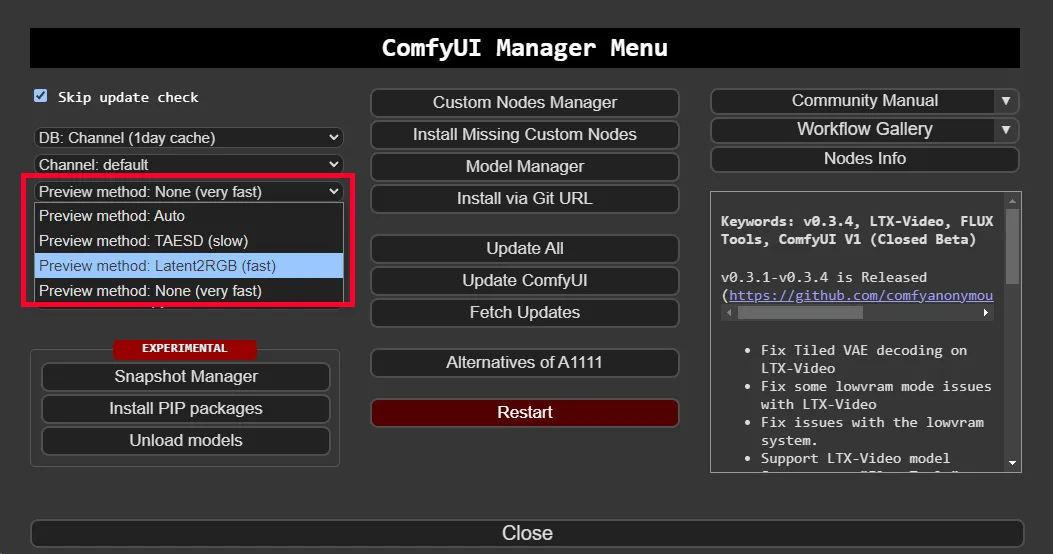
Open the ComfyUI Manager Menu.
Change the preview method from None to Latent2RGB.
Now, when you generate an image, you will see a step-by-step preview of the final image.
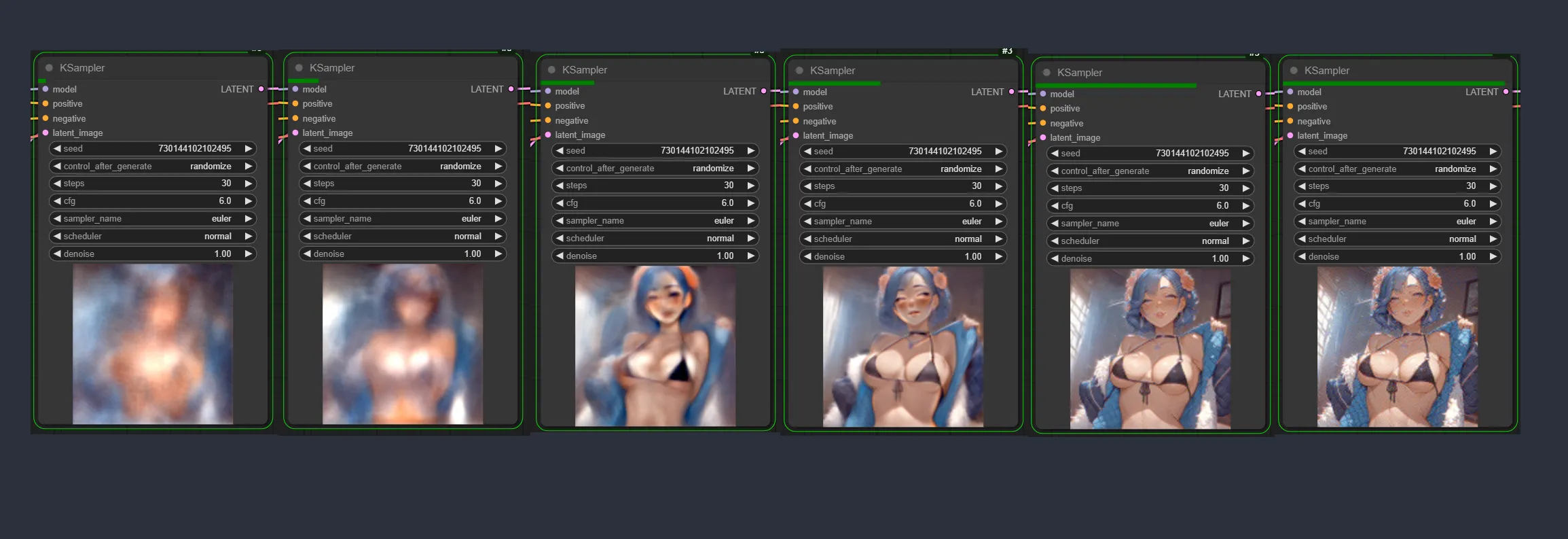
Here’s how your workflow will look with the preview activated
