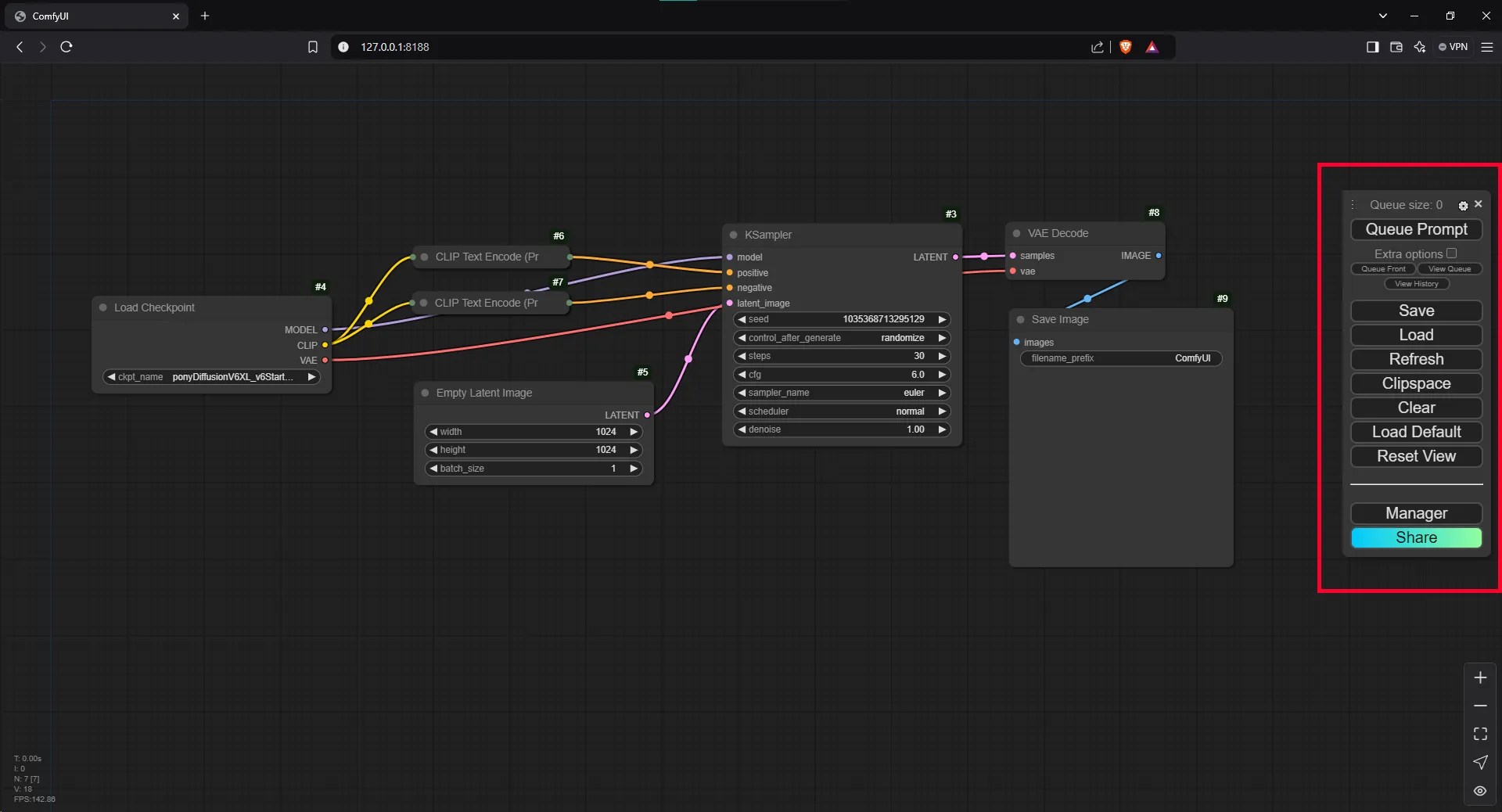
If you prefer the previous ComfyUI Manager menu interface, here’s a short tutorial on how to switch back.
How to change it?#
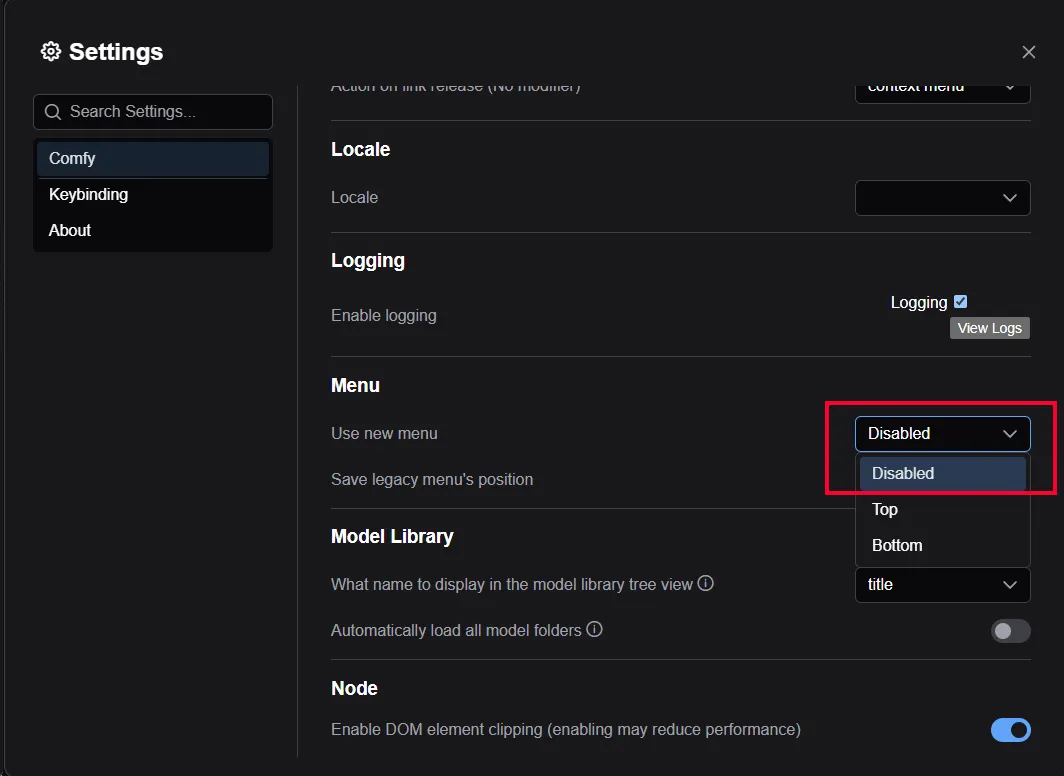
Go to the ComfyUI options.

Navigate to the Menu Section.
In the Use new menu option, select Disable.
Enjoy the simple, classic menu!